


Product of the Day
Super Mouse turns clicks into commands
A Kickstarter campaign has begun for a mouse with a touchscreen and app-aware shortcuts, writes JASON BANNIER.

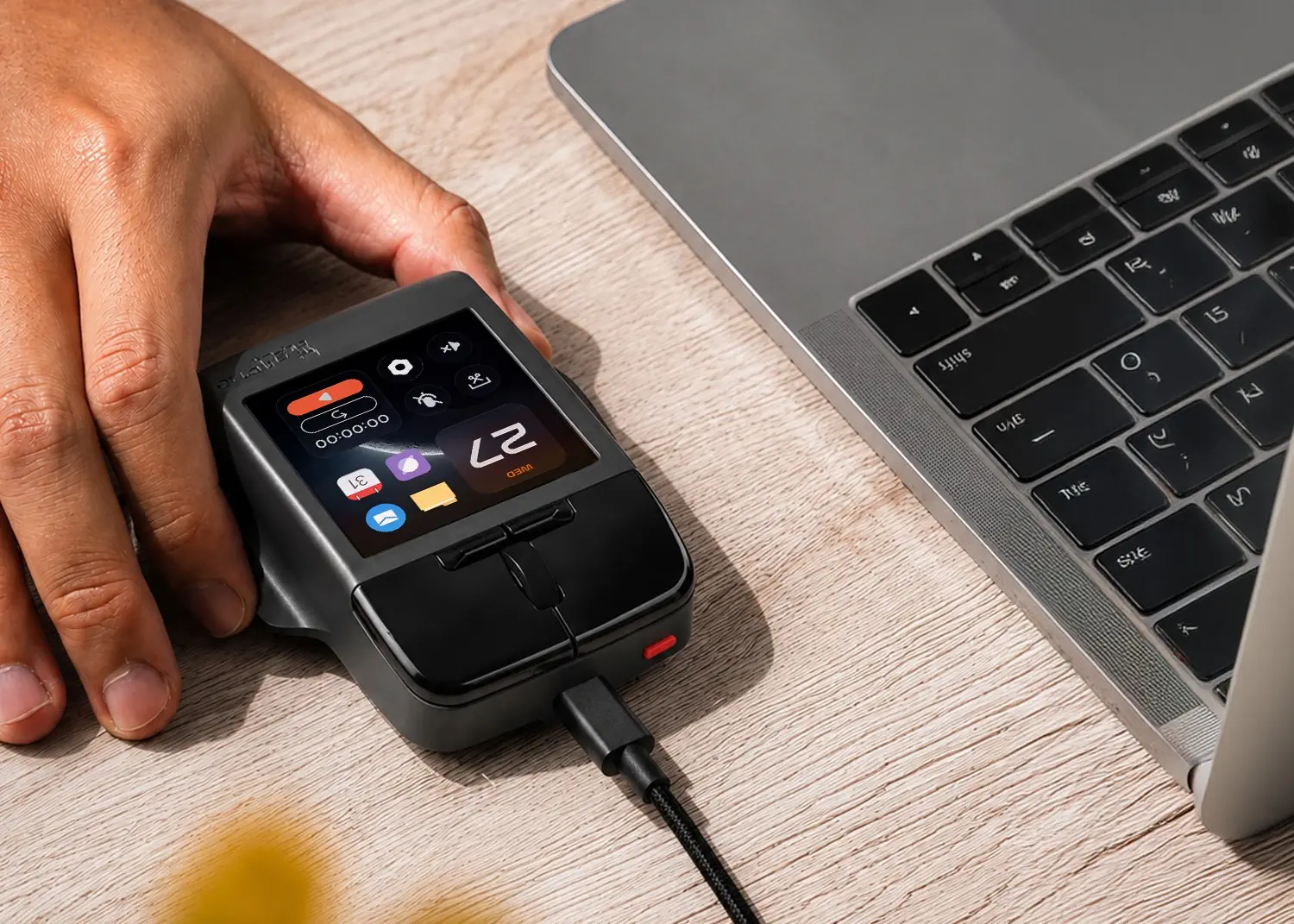
Arctic Fox Technologies has launched a Kickstarter campaign for Super Mouse, a productivity mouse with a built-in touchscreen and programmable controls. Super Mouse places shortcuts, macros and application controls under the same hand used for pointing, clicking and scrolling.
Modern workflows often span editors, browsers, communication platforms and creative tools, while the conventional mouse remains centred on pointing, clicking and scrolling. Super Mouse addresses that gap through a 3.1-inch, 720×720 touch display that changes controls according to the active application.
“The way people work has completely changed, but the mouse has stayed almost the same for decades,” says Sridhar Thirunakara, founder and CEO of Arctic Fox Technologies. “We wanted to create a device that keeps the simplicity and comfort people already know while giving them direct access to the tools they use every day.”

Five display modes
The touchscreen switches between five operating modes:
- Control panel: Displays custom shortcuts, macros and application launchers, with space for up to 16 controls on the home screen.
- Multi-touch trackpad: Supports precision gestures without requiring a separate trackpad.
- Digital keyboard: Provides text entry from the mouse, including swipe typing.
- Smart sliders: Adjust brightness and volume.
- Calendar: Shows upcoming Google Calendar events and meeting reminders.
The display dims when a hand leaves the mouse. A dedicated button switches off the screen for users who want only conventional mouse controls and voice-to-text functionality.
Two physical Hyper Keys beside the scroll wheel can trigger keyboard shortcuts, macros or multi-step workflows. The default assignment is Alt+Tab, while Flow, the companion desktop application, allows each key to be reconfigured.
Motion sensing provides another control method. Users can tilt or move Super Mouse to advance presentation slides, control media or scrub through a timeline away from the keyboard.
Onboard microphones support voice-to-text for drafting messages and documents. Arctic Fox Technologies says speech processing takes place locally through the mouse and Flow, with no voice data uploaded to a server.
Rapid Tasks allow a sequence of actions to be recorded and activated with one press. A task could open an application, silence notifications or start a timer. Other functions include launching frequently used applications, locking a computer, tracking time spent at a desk and setting focus timers.
Multiple profiles allow people sharing the same mouse to retain separate shortcuts, layouts and preferences.

Flow controls the workflow
Every Super Mouse pairs with the Flow desktop application, where users configure display layouts, shortcuts, macros, profiles, application launchers and integrations.
According to Arctic Fox Technologies, Flow places no limit on the number of applications that can receive configured shortcuts. Users can also assign macros to software that Flow does not recognise automatically.
Flow handles software updates without requiring a direct internet connection for the mouse. When an update becomes available, the desktop application displays a notification and leaves installation under user control.
The combination could support several professional workflows. Video and photo editors can use the Hyper Keys, trackpad and gyro for timeline navigation and tool switching, while developers can assign macros for moving among an editor, terminal and browser.
Design applications can display controls for brushes, layers and other frequently used tools. Writers can combine dictation with reusable snippets and focus timers, while spreadsheet users can assign repetitive multi-step operations to a single control. During presentations, gyro movement can advance slides or manage media.
Specifications and accessories
Super Mouse model AFSM2601 supports Windows and macOS. The wired connection uses USB Type-C and supplies the required 5V/2A power.
The mouse measures 109 × 91 × 29mm and weighs 95g. Three colour options are planned: devine yellow, cloud white and drone grey.
Each package includes the mouse and a USB Type-C cable. A QR code on the box links to the quick-start guide and warranty information. Optional accessories comprise a USB Type-A to Type-C adapter, carrying pouch and large mouse pad.
A one-year replacement warranty covers manufacturing defects.
* Visit the Super Mouse Kickstarter campaign here.
* Jason Bannier is a data analyst at World Wide Worx and deputy editor of Gadget.co.za. Follow him on Bluesky at @jas2bann.